

How can employee phishing vulnerability be assessed?
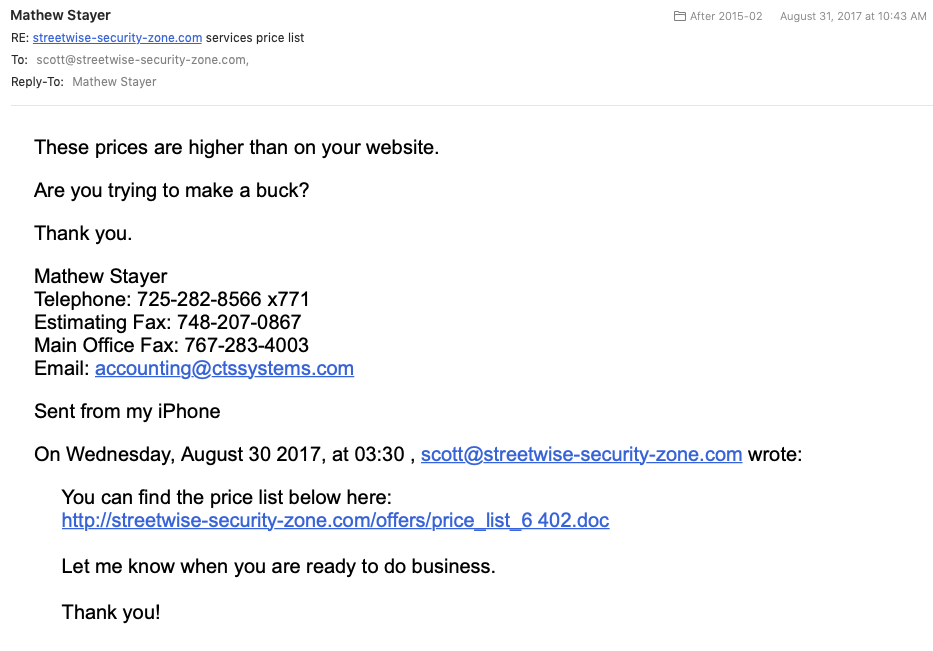
Your UPS delivery was missed… The IRS says you owe them thousands of dollars… You’ve reached your computer disk storage limit… Your Apple account information has been updated… You’ve been phished!
Phishing messages are email scams initiated by criminals who want to:
-
steal money
-
obtain sensitive information
-
get unauthorized access to a company’s computer systems.
There are hundreds of common scenarios used by attackers to get people to click on links and attachments in email messages.
These attacks are one of today’s most dangerous threats to businesses because they target unsuspecting employees who have little knowledge of cybersecurity. And, these attackers have many ways to trick people into helping them get what they want. They use topics that are are sensitive and will cause people to react emotionally, without thinking. Whether it’s greediness, laziness, fear, curiosity or a desire to be helpful, scammers will always find an emotional angle that works for someone.
Because phishing messages are dangerous and the attackers are creative and persistent, it’s important for employers to make sure their teams are trained. They should also be tested on their proficiency in handling phishing attacks. Trained employees are less likely to be tricked into clicking on dangerous links.
Workforce testing can be done in two different ways. A common approach is to use “simulated phishing messages” or “phishing assessments”. With phishing assessments, employers can:
-
learn how vulnerable the organization is to phishing attacks;
-
provide a “teachable moment” when someone clicks on something they shouldn’t have, giving tips on when to flag messages as suspicious.
The other method of testing employees’ phishing proficiency is through gamified, self-paced simulations. This type of assessment can be done “stand-alone” or integrated with gamified phishing training, to allow employees to exercise their phishing awareness skills in a fun way. Gamified, self-paced phishing simulations also allow for coverage of many more phishing scenarios in a single user session, reinforcing good practices, and giving immediate positive and negative feedback.
How often should employers use phishing tests?
Many organizations use live phishing campaigns once a year, but quarterly phishing campaigns are more common. Even quarterly may not be often enough, however. Think about how many dangerous email messages a person receives in a three-month period. Receiving only one employer test message may not provide adequate information or show how vulnerable the organization might be.
As a minimum, gamified phishing simulations should be used whenever phishing training is required, and integrated with the training, to provide sufficient assurance that employees have learned proper phishing defense skills. Monthly or quarterly updates can be used to keep employees’ skills fresh.
Live assessments should be done every 6 months, or at least every year, as a spot check to confirm that skills observed in the simulations are translating into proper behavior in the real world.
Cyber Security Training Tips
-
Design assessment messages to resemble dangerous phishing messages, but consider other risks. For example, using illicit or indecent content may cause embarrassment and a backlash among employees. (You never know what people will click on!)
-
Employees need to learn the difference between messages that are suspicious and those that are normal spam to avoid overloading the Service Desk. “If you aren’t sure what you should do when you see a suspicious message, you should ask your Service Desk.”
-
Use scenarios based on past real life phishing incidents in your organization or at other organizations.
Learn how your organization would benefit from well-designed cybersecurity training (including Click Armor’s next generation gamified phishing training and self-paced, gamified phishing simulations). Click here set up a call.
[/et_pb_text][/et_pb_column][/et_pb_row][et_pb_row _builder_version=”4.4.6″][et_pb_column type=”4_4″ _builder_version=”4.4.6″][et_pb_post_nav prev_text=”Previous Post” next_text=”Next Post” _builder_version=”4.4.6″ title_text_color=”#ffffff” background_color=”rgba(14,79,136,0.68)” custom_padding=”5px|10px|5px|10px|true|true” border_radii=”on|4px|4px|4px|4px” border_width_all=”1px”][/et_pb_post_nav][/et_pb_column][/et_pb_row][/et_pb_section]